martes, 12 de junio de 2012

Practical Work using Presentations

It's time for a new practical work (unfortunately?). This time we will be dealing with presentations such as Power Point and Prezi. These presentations will have to be part of a lesson plan.

It's going to be in groups of two or three people. I didn't like much the random organisation of the groups. Of course, that's only natural, we are taken outside our comfort zone, which is working with people you really know. (Agos, don't take it personal! I'm sure we'll do it alright!). ;)

As regards the presentations, I have had some experience working with Power Point. When we were taking Literature 2, we had to present a topic to the class. The group in which I took part was in charge of "Alice In Wonderland" and Lewis Carroll's life.


We used this presentation (I attach here only an image to give you an idea) to highlight some important parts of our speech, also to show photos and pictures and to show music videos inspired by Alice, as well as fragments of films.
About the design, it was a background image downloaded from Google Images and we put the main characters of Disney's film as animated GIFs.

When we were taking Didactics 1, there was another instance of group presentations. This time, our group was in charge of two topics: Content Based Learning and Task Based Learning.
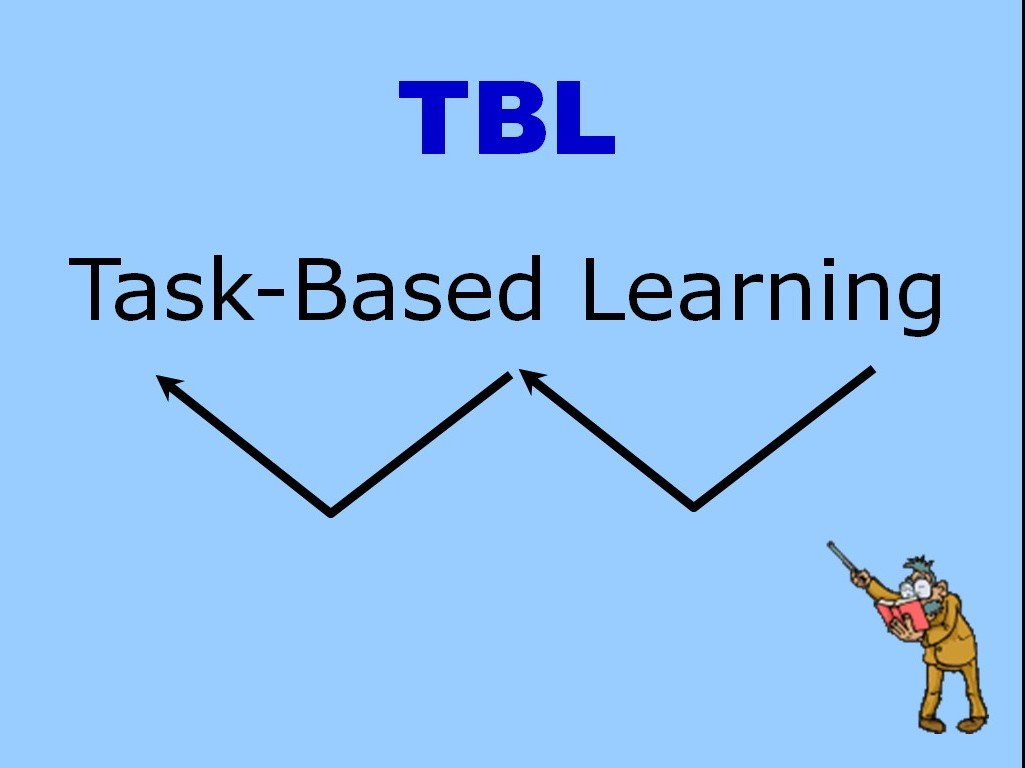

This time the presentation was much simpler than the one for Alice, because it was a short speech. Besides, those topics are not so artistic and that gives you little freedom to create something more eye-catching. What we used is simply a background colour and the only animation (besides the occasionally appearing arrows) was an animated GIF of a teacher that constantly moved his pointer to attract your attention.

The third presentation in which I was involved was a speech about Democracy and Argentinian History between 1983 and 1999. We had to present this topic, again in groups, for EDI, in the third course.


In this case, the presentation had a background image (again from Google Images) and we used it only to show images and fragments of documentary films. Most of them downloaded from YouTube. The idea was to talk about some topics related to those years (in English!, of course) and, from time to time, to play the videos, in Spanish, just to make sure the audience have perfectly understood it.

Now, a new way of using presentations is approaching (at least for me!). So, we'll see what happens! (Right, Agos?).

martes, 5 de junio de 2012

A blog list

In this short entry I would like to share a tool for all of us who are attending ECO 2 and have created our blogs. One way of keeping track of what our mates are doing is Google Reader, but Blogger has also something similar.

In order to follow your favourite blogs (in this case, all of them) we should go to the design section of Blogger, and add a gadget. One of the gadgets available is "Blog list". Through this option, you can add the addresses of all the other blogs or even import them from Google Reader.

Te result: you will have your mates' blogs listed in order of publication (if you want it that way!). Everytime one of them submites an entry, it will be placed at the top of the list.

Cool, right?

You can see it right here, on the right bottom of this blog (please, let me know if I missed someone's blog!).

lunes, 4 de junio de 2012

Google Reader: how to keep track of your favourite blogs

Another wonderful tool that our teacher Letizia has introduced to us is Google Reader. It is useful not only for academic purposes but also for anyone that follows blogs or web pages that are updated constantly.

The great thing about it is that you won't spend time surfing the internet, looking for the blogs you daily visit to see if they have been updated. Instead, you will access to just one site (Google Reader) and there you will have, in chronological order, all the entries of your favourite blogs that have been published lately.

Almost everybody is acquainted nowadays with Facebook and the way it works. Well, Google Reader reminds me of the Facebook home, where you see a timeline in which the new stories are put at the top of the list. This is exactly how Google Reader works.

I'm posting here a video about this matter


Personally, I think the design of the site is not so great. It's not that appealing. But anyway, it is a very useful tool and I find it highly profitable, specially when it comes to time saving and organization.

jueves, 31 de mayo de 2012

Website Analysis

After a few days in the weekend that my group (Aldana, Fernanda and myself) got together, we finally finished what it is our first practical work. It was about analysing websites (I told you about that in a previous entry on this blog).

The hardest part was, at least for me, thinking about activities in which we could use the material available in those sites. After struggling a little bit with ideas, we did a couple of 'activity brainstorming', and chose the ones that we liked the most.

The day before handing in, or in this case uploading the finished work, we had to polish the final draft. We did this without having to meet. We made use of GoogleDocs, creating a document and modifying it from each other's house. We found this method reeeeeally practical. Once the document was good enough for us, we just had to download it as a PDF document, and that's it. The final step was to upload it into the platform 'Edmodo' for our teacher and mates to take a look at it.

If you want to see it, you have it here too:
Download PDF

martes, 29 de mayo de 2012

Power Point vs. Prezi

We were asked to watch a couple of videos about these two presentation generators and to make a comparison.
I'm posting here one of them because it is hilarious. It is about what NOT to do with a Power Point Presentation.


The thing is, you CAN use some of these features exaggeratedly if you want to make a point, specially if you use humour in your presentation. If we are talking about a formal presentation, in which you speak about a delicate subject, maybe it would be better if you follow Don McMillan advices.
Prezi, in contrast, has two significant advantages: you have endless space to work on (your work will not be reduced to a single slide) and you can make use of the zoom for highlighting information (for example: a part of a picture). Besides, you don't have to worry about the version of Microsoft Office that your learners may have in their netbooks because Prezi needs only a web browser and the Flash component installed (it's hard to find a computer without these two requirements). Not to mention that the animation Prezi offers is much more appealing.

Here you can learn about a couple of Prezi features.


Hope you like it.
See you around!

martes, 22 de mayo de 2012

First P.W. goin' on.


It comes the time when we finally revise all of our notes and start to prepare for something. This time, a practical work. There will be a few of them throughout the year and this one is about evaluation of web sites that have to do with the classroom.
The first step was make use of GoogleDocs in order to get the groups of no more of three o four people. Below each group we had to state what sites we are going to analise. One of them will be about its potential usefulness as resource for materials design and the other about its usefulness in the classroom.

The criteria for evaluating web resources will be divided into: purpose, authority, objectivity, appropriatness, currency, responsibility, clarity and accessibility.

So far, we are starting to analise these two sites:

http://www.mes-english.com/

http://www.cambridge.org/ar/elt/students/zones/resources/item2325607/?site_locale=es_AR&resourceType=2505894&resourceTypeVisibility=student&currentSubjectID=2325607&pageNo=1

We will let you know about our conclusions as soon as we have the results.

Personally, I'm getting a lot out of this because I've never approached a website in this way. It's the first time I examine the authenticity of a site, finding out about the creator and his purposes. Until now, I just looked for the things I needed, no matter where did they come from. Of course, I will be teaching someday, so I must be very careful with the material I choose. This practical work is a great tool to have in mind.

miércoles, 9 de mayo de 2012

Next step: Google Docs

As another web tool for us to have in mind, we are going to see what Google Docs is about.
This tool is a web-based office suite and you can also storage data. You can create, edit and share your documents with other people. They can modify (if they have your permission) your documents in real-time.
We all are familiar with Microsoft Office (Word, Excel, Powerpoint, etc.). Well, GoogleDocs has practically the same office tools. The difference: they are absolutely free. In this way, some of us will finally stop being pirates.

An anecdote:
I was taking a course on Photography last year and my teacher show us some things on Photoshop. He opened the software and this sign appeared while it was starting:


While that image was on the screen, the teacher said: 'these are all the people I owe money, because this software is cracked'.
Well, with GoogleDocs that's not an issue.

I'm sure in the next weeks we will be dealing with this product, trying to get the best out of it.